Leave the migration to us.
It will be a white-glove experience. Whether you're on a spreadsheet or another system, we'll take care of everything. Your users, workflows, and setups will be ready to go the day you sign in.
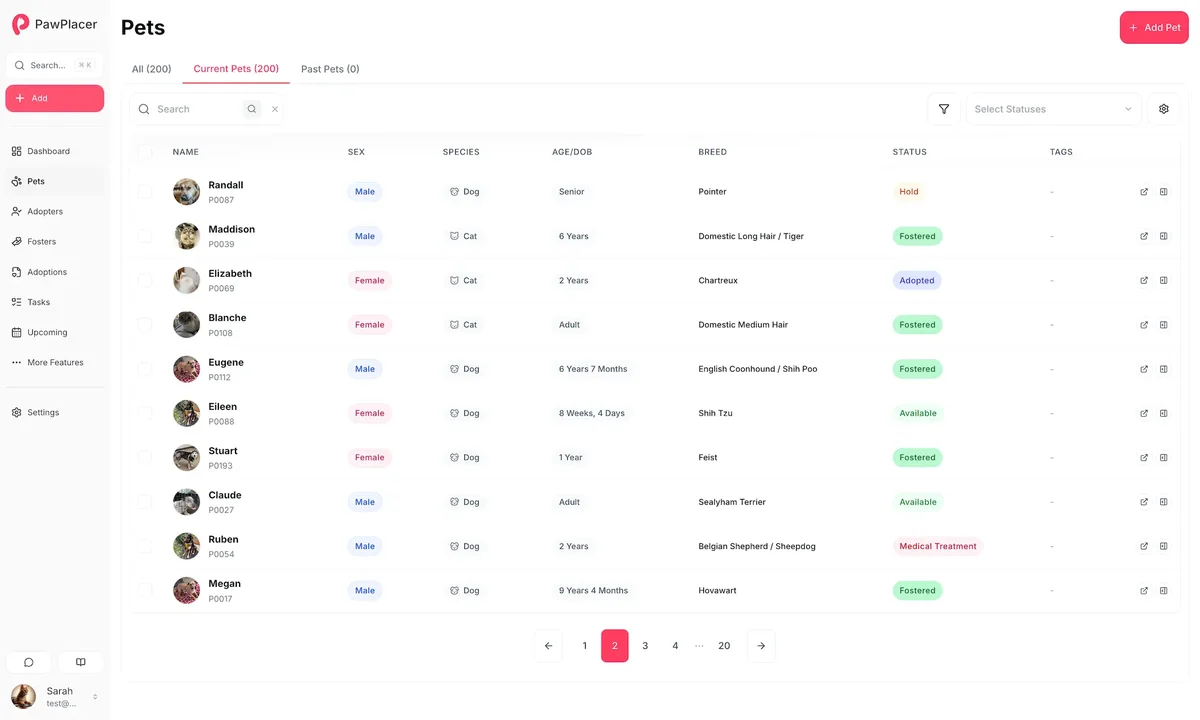
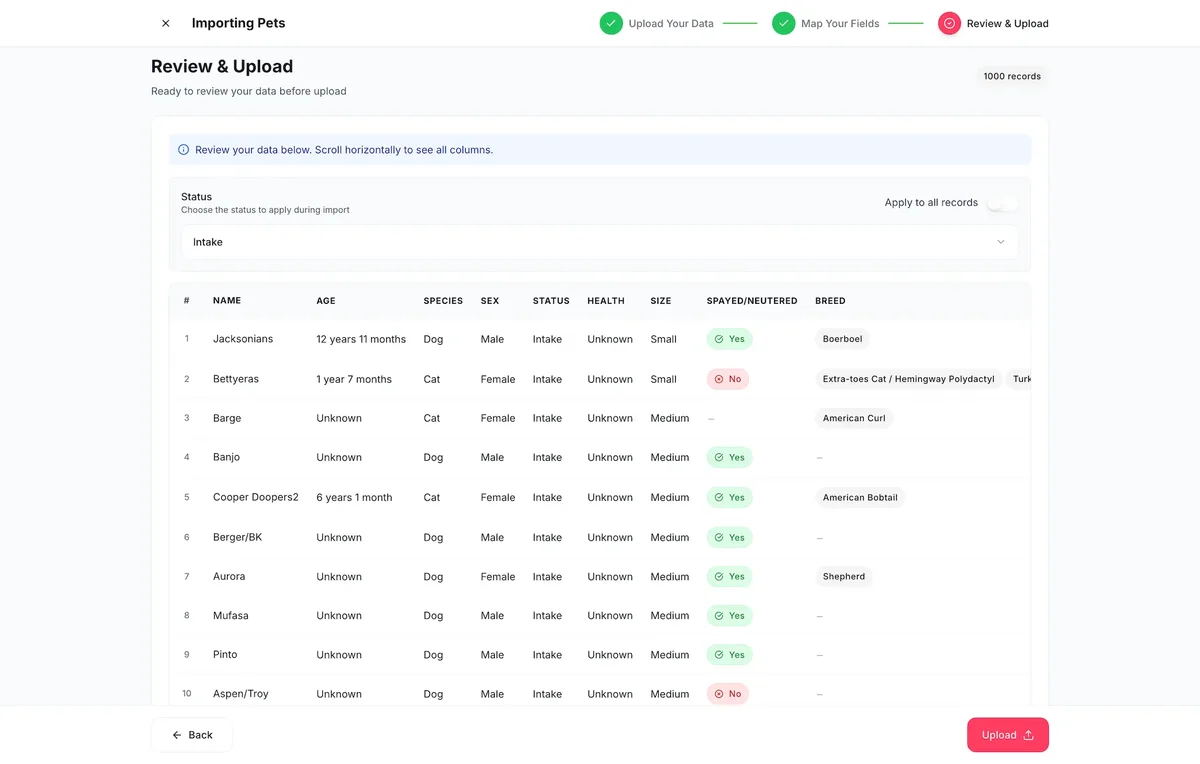
Import map review
Pets, people, statuses, forms, and custom fields.
The migration promise
Move the records that matter without disrupting the team.
Keep the workflow your team understands
Map your current statuses, public forms, tags, and handoffs into PawPlacer before you ask volunteers to change habits.
Keep your payment setup
Use your own Stripe, Square, Zeffy, PayPal, Venmo, or donation links. PawPlacer does not take a platform cut from adoption fees or donations.
Keep control of the data
Import core records from spreadsheets, clean up messy columns, and export full pet, adopter, foster, and volunteer records plus reports later if you ever need them.
Switching plan
A clean move in three passes.
You do not need a months-long implementation project. Start with the critical records, turn on public workflows, then keep refining after your team is already live.
Export the core records
Start with CSV, XLS, or XLSX files for pets, adopters, fosters, volunteers, donors, and surrenders. Pet profile fields, statuses, IDs, image URLs, descriptions, compatibility lists, custom fields, and people notes can be mapped into PawPlacer.
Map the messy parts
Review exact matches, partial matches, AI-suggested column matches, custom fields, status aliases, and pet references before anything is saved.
Reconnect the public side
Drop PawPlacer widgets and forms into your existing website, connect Petfinder when listings are ready, and keep your existing payment links or processor setup.
What comes with the move
One workspace for the records, forms, and public tools you already depend on.
Pet records, medical timelines, prescriptions, and documents
Embeddable pet listings, adoption forms, foster forms, and surrender forms
Petfinder sync, custom reports, email templates, exports, API, and SDK
Free access with no required demo, setup process, or sales gate
Import scope
What the standard uploader can move.
PawPlacer is useful because the migration surface is practical, not vague. Bring the records that unblock launch first, keep people connected to the right pets, and refine the workspace after your team is live.
Spreadsheet formats
The uploader accepts CSV, XLS, and XLSX files. It checks for duplicate headers, previews rows before upload, and lets you fix unmapped fields before committing.
Standard import targets
Pets, adopters, fosters, volunteers, donors, and surrenders have first-class import flows. Each importer can include configured custom form fields, so extra local details do not have to be flattened into one notes column.
What pet imports cover
Name, age or birthday, species, sex, status, health, size, spay/neuter, breed, color, coat length, weight, adoption fee, descriptions, image URLs, microchip IDs, custom IDs, public visibility, compatibility lists, temperaments, key dates, and status notes.
People records
Adopters, fosters, and volunteers can bring over contact details, statuses, notes, pet references, capacity, availability, and configured custom fields.
AI mapping and review
The importer sends unmatched column headers and form field labels to OpenAI to suggest mappings, even when organization AI features are off. Row data is not sent for mapping. Every import still requires validation and review before saving.
Bring to the migration conversation
A better switch starts with the right source material.
You do not need everything perfect on day one. These are the pieces that make the first pass faster and keep the launch honest.
A CSV, XLS, or XLSX export from your current system
Your current pet statuses and what each status means
Any adoption, foster, volunteer, or surrender forms you want to recreate
Your existing website pages where widgets or individual forms should appear
Your payment methods, donation links, Stripe, Square, or Zeffy setup, or offline payment process
Petfinder status rules if you want PawPlacer to publish listings there
Start with a free account, then bring the messy parts.
PawPlacer gives every rescue the complete platform for free. If your import or workflow is complicated, use the migration conversation to get the first pass right.